 minute read
Discover a QXS Storage Array
Do the following to discover a QXS storage array in the StorNext Unified User Interface (UUI).
-
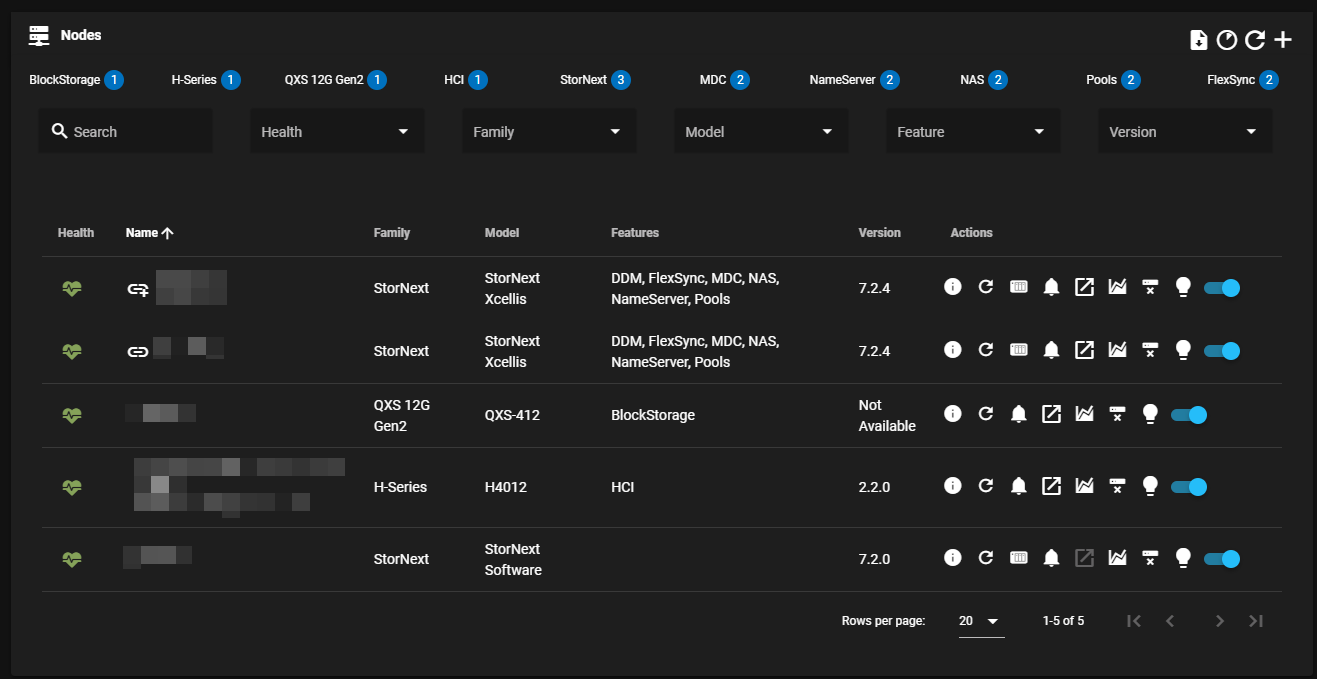
On the top navigation menu, click Nodes to display the Nodes page.
-
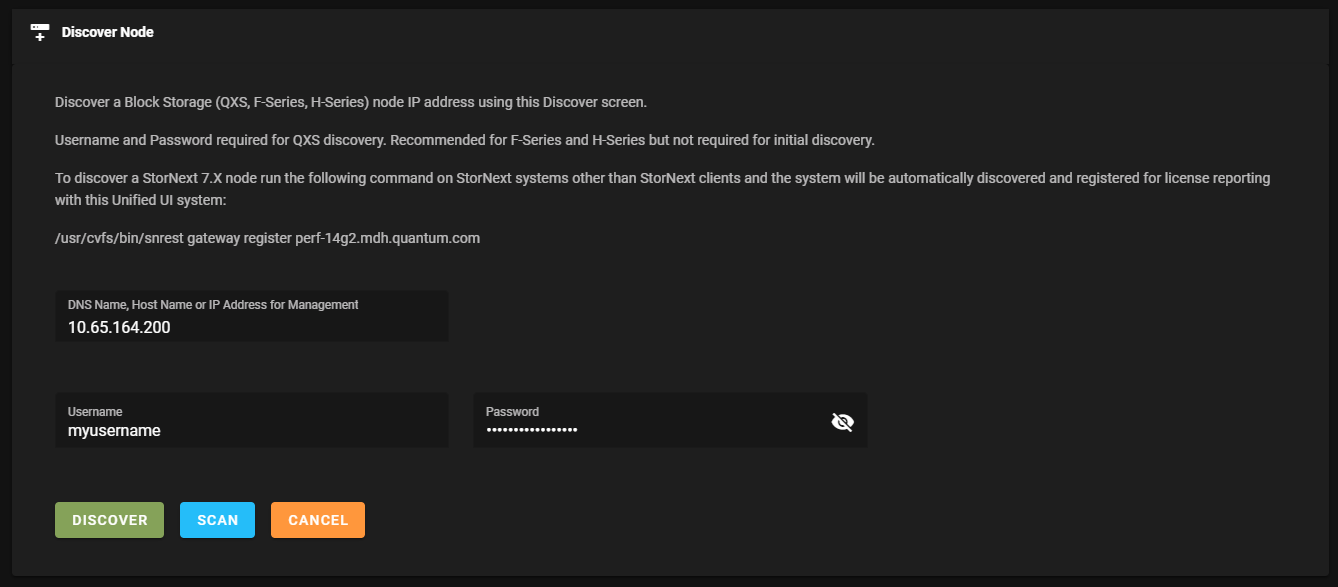
Click Discover Nodes (+ icon) to display the Discover Node page.
-
Enter the following fields:
Note: The username and password values are required to discover a QXS storage array.
-
DNS name, host name, or IP address of the QXS storage array
-
Username
-
Password
-
-
Click Discover to apply the current configuration (disabled until required fields are completed), or click Cancel to discard the changes and return to the previous screen. You can also click Scan to display information about the QXS storage array, or to display any issues if your QXS storage array cannot be discovered.
Troubleshooting
To troubleshoot your QXS storage array, locate your specific QXS model/product documentation on the Quantum Documentation Portal. For example, if you are running QXS-5, see the QXS-5 Storage Management Guide.
