Migrate Metadata and Journal Data
Use the following procedure to migrate Metadata and Journal Data using the GUI.
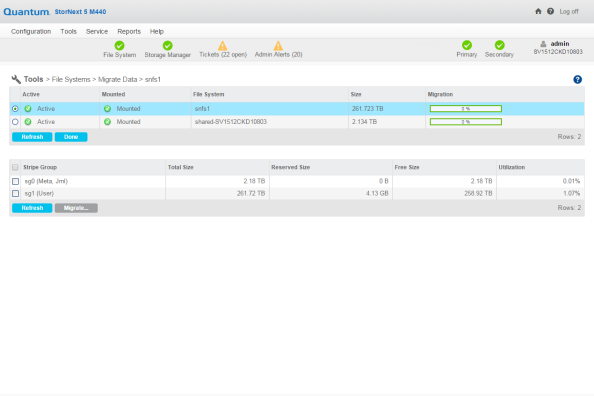
- On the Tools menu, click File Systems, and then click Migrate Data. The Tools > File Systems > Migrate Data page appears (refer to Figure 1).
- Click a File System.
- Click a Metadata/Journal Stripe Group in the File System to migrate (refer to Figure 1).
Figure 1: Metadata/Journal Data migration page
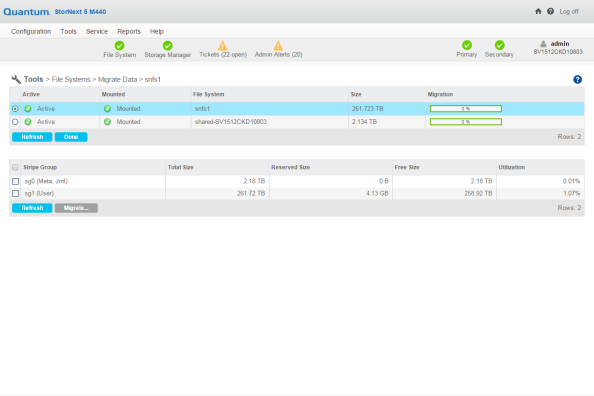
- Click Migrate.... A new page appears (refer to Figure 2).
Figure 2: Metadata/Journal Data migration (new page)
- Click a disk from the Choose Disk to Migrate From table.
- Click a disk from the Choose Disk to Migrate To table.
- Click Migrate. The following occurs:
- The file system stops and is unmounted.
- The GUI executes the command
sndiskmove.
Caution: The command,
sndiskmove, only works on disks or LUNs of the same size. For instance, if the destination LUN is smaller than the source LUN, then the command fails. However, if the destination LUN is larger than the source, then the additional capacity is ignored.- The source disk/LUN is relabeled to
$LABEL.old. - The destination disk/LUN is relabeled to
$LABEL.
- Click Refresh to manually update the status.
- When this migration task is completed, start and mount the file system using the GUI.