Examples
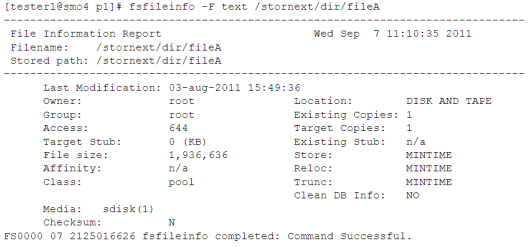
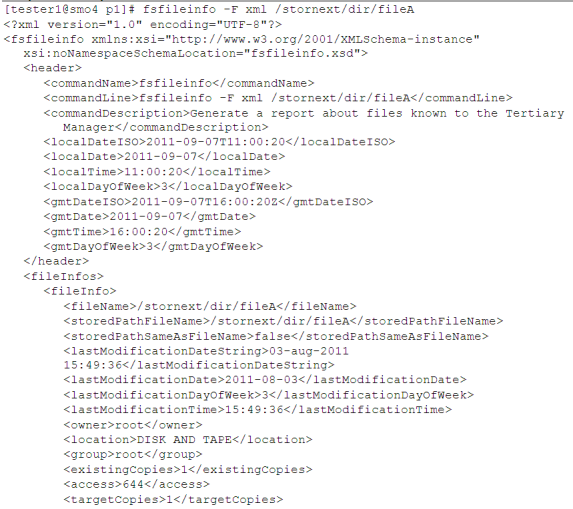
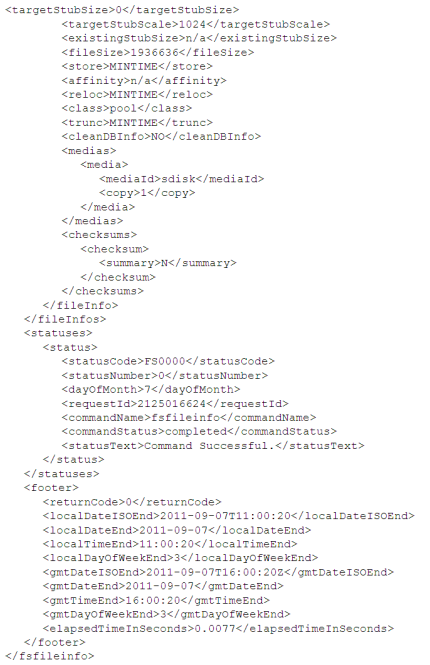
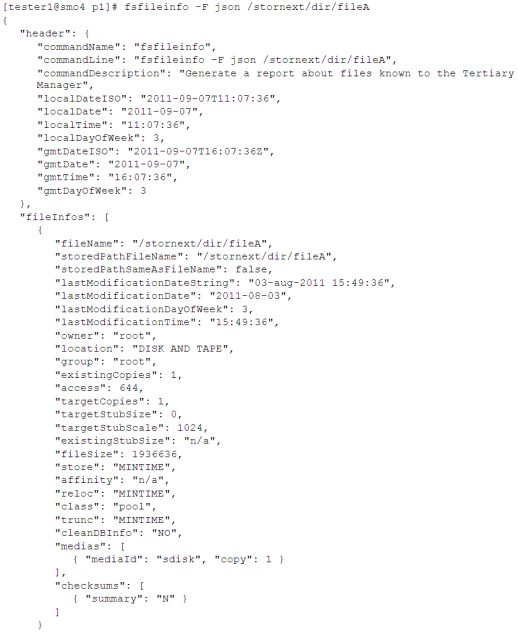
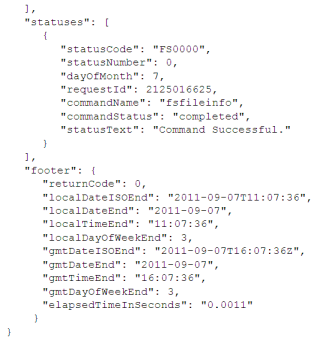
This section contains examples for Web Services URLs, sample XML output, sample JSON output, and sample text output.
Example: Web Services URLs
Following are example URLs which demonstrate how to use the output format parameter. The URLs are formatted as multiple lines to make them easier to read.
Note: Two fields in the URL must be modified for local use: MDC_address (or vIP) and Password.
| 1. | Run the fsfileinfo command (getFileLocation API) for three files, and return output in structured XML format: |
|
http://<MDC_address>:81/axis2/services/stornext/getFileLocation ?password=<Password> &files=/stornext/dir/fileA &files=/stornext/dir/fileB &files=/stornext/dir/fileC &format=xml |
| 2. | Run the fsstore command (doStore API) for one file, with the "-f i" option, and return output in structured XML format: |
|
http://<MDC_address>:81/axis2/services/stornext/doStore ?password=<Password> &files=/stornext/dir/fileA &retention=i &format=xml |
| 3. | Run the fsrmdiskcopy command (doTruncate API) for one file, and return output in JSON format: |
|
http://<MDC_address>:81/axis2/services/stornext/doTruncate ?password=<Password> &files=/stornext/fileA &format=json |
| 4. | Run the fsretrieve command (doRetrieve API) for a directory, with the "-a" parameter, and return output in text format: |
|
http://<MDC_address>:81/axis2/services/stornext/doRetrieve ?password=<Password> &updateATime=1 &directory=/stornext/dir/ &format=text |
Sample XML Output
Sample JSON Output
Sample Text Output