Enhanced Control of Tape Drive Allocation
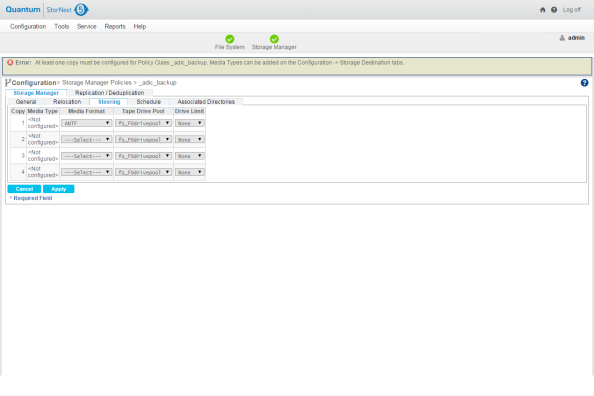
You can manage the number of tape drives to use per store policy by using the Drive Limit feature on the Steering Tab (see Figure 1). To limit the number of tape drives used per policy and copy, new configuration options were added to the policy class commands fsaddclass, fsclassinfo, and fsmodclass. The Storage Manager will use these values to manage the number of drives used per store policy. See the StorNext Online Help for additional information and usage. See the Man Pages Reference Guide for details on the policy class commands.
Figure 1: Storage Policies > New > Steering Tab
For instructions on what to enter on this screen, see the online help.
The Schedule Tab
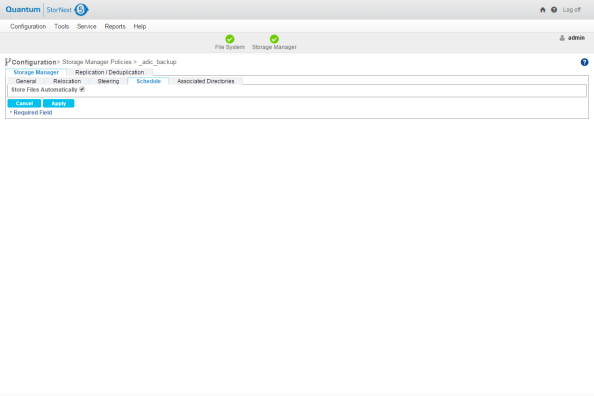
The Schedule tab allows you to enable or disable the Store Files Automatically feature.
When this feature is enabled, StorNext automatically stores files for the current storage policy. If this feature is disabled, Quantum recommends that the files for the policy class be stored by scheduled events. Scheduled events are certain activities which you can set up to run at specified times using StorNext’s schedule. For more information, see
Figure 2: Storage Policies > New > Schedule Tab
For instructions on what to enter on this screen, see the online help.
The Associated Directories Tab
The Associated Directories tab enables you to view or delete any existing associated directories in the file system for the policy, and to add new directories.
Figure 3: Storage Policies > New > Associated Directories Tab
For instructions on what to enter on this screen, see the online help.