Replace Mezzanine Card
The mezzaine card is attached to the mezzanine node module, which is attached to the compute node module in the 4U90 Twin Server Chassis.
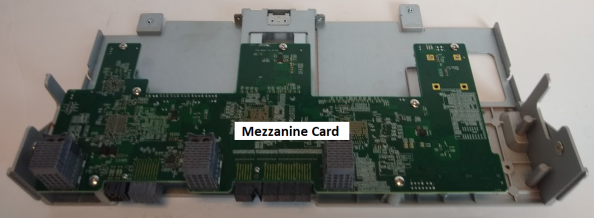
Remove Mezzanine Card
 Step 1: Power Off the Compute Module
-
Hold down the power button of the compute module to be removed for at least 4 seconds.
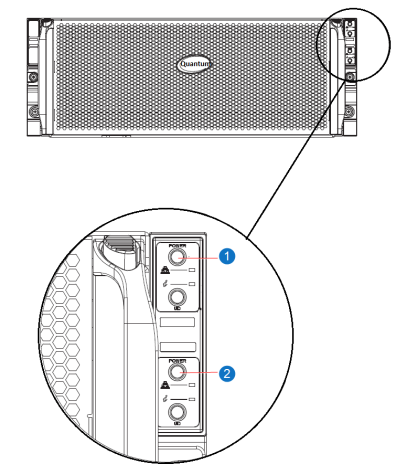
| Item | Name |
|---|---|
| 1 | Top Compute Node Power Button |
| 2 | Bottom Compute Node Power Button |
Step 2: Remove Compute Module from Chassis
-
Disconnect all power supply cords and all network and system cables from the compute module.
Note: Before disconnecting cables, document the cable configuration. The cabling must be reconnected to the module in the exact same configuration.
-
Unlock the left and right latches on the side of the compute module.
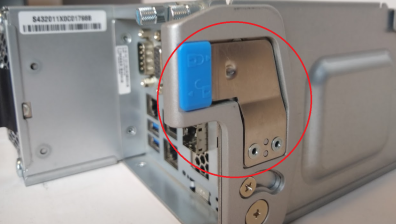
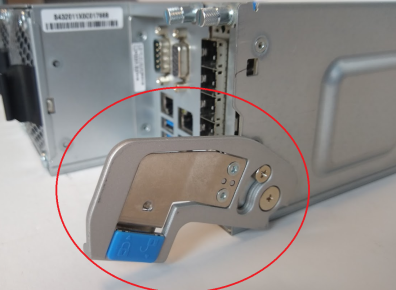
-
Remove the compute module from the chassis and place on a flat surface.
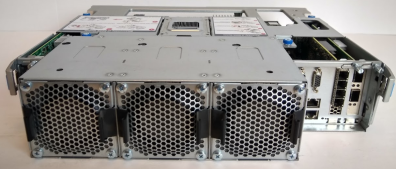
Step 3: Remove Mezzanine (Node) Module
To access the mezzanine card, you will need to remove the mezzanine (node) module from the compute module.
-
Unscrew the four screw thumbs on top of the module.
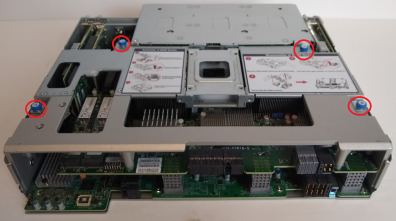
-
Lift the left and right latches to the unlock position.
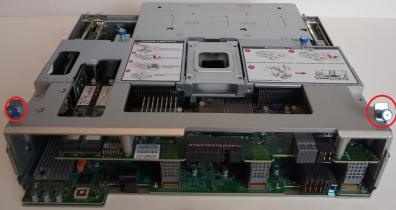
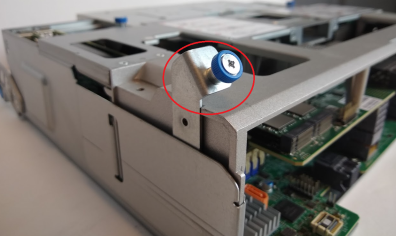
-
Vertically lift the mezzanine module out of the chassis.
-
Flip the mezzanine module over and place on a flat surface. You now have access to the mezzanine card.
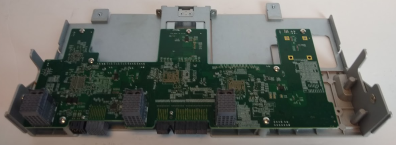
-
Using a Phillips screwdriver, unscrew the mezzanine card from the module.
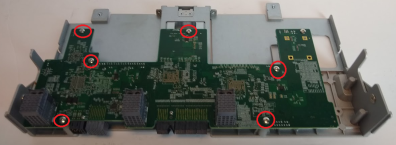
Replace Mezzanine Card
Step 1: Install Mezzanine (Node) Module
-
Using a Phillips screwdriver, screw the new mezzanine card into the mezzanine module.
-
Flip the mezzanine module over and place above the compute module. Make sure the left and right latches are in the unlocked position. Align the mezzanine module vertically and lower into the compute module.
-
Rotate the left and right latches forward to the lock positions.
-
Carefully push down the middle section of the module to ensure connectors are fully engaged.
-
Fasten the 4 blue thumb screws on top of the module.
Step 2: Install Compute Module into Chassis
-
Carefully slide the compute module back into the chassis.
-
Lock the left and right latches on the side of the compute module.
-
Reconnect the power cable to the power supply and all network and system cables to the compute node.
Step 3: Power On Compute Module
-
Press the node power button once. The compute node control board will initiate the power up sequence.
-
Wait a few minutes for the node to power up and spin up all disks.
| Item | Name |
|---|---|
| 1 | Top Compute Node Power Button |
| 2 | Bottom Compute Node Power Button |
